



Proxy Integration With MoreLogin
Learn how to set up Anonymous Proxies with MoreLogin for seamless multi-accounting and truly anonymous browsing.
Recommended proxy services
HTTP Proxies are handling HTTP requests towards the internet on behalf of a client. They are fast and very popular when it comes to any kind of anonymous web browsing.
SOCKSv5 is an internet protocol that is more versatile than a regular HTTP proxy since it can run on any port and traffic can flow both on TCP and UDP. Useful in games and other applications that do not use the http protocol.
A rotating mobile proxy routes internet traffic via mobile devices, offering unique IP addresses from mobile networks. It is a very good choice for SEO monitoring, social media management, web scraping and ad verification, since it frequently changes IPs to avoid blocks.
What is MoreLogin?
MoreLogin is a class-leading antidetect browser designed for an easy and secure management of multiple browser profiles from a single device. It assigns unique digital fingerprints to each browser profile. With MoreLogin you will be able you to work with several accounts across different platforms without the slightest chance that your accounts might get detected or blocked. And since each browser profile can emulate real device configurations, your online activities are gonna be 100% hidden.
MoreLogin Features
- Affiliate Marketing - Run as many campaigns as you want without any interference between accounts.
- E-commerce - Manage various store accounts effortlessly.
- Crypto & NFTs – Interact safely with a variety of wallets or accounts.
- Social Media Marketing - Give a boost to your visibility by managing multiple accounts.
- Traffic Arbitrage - Build the best strategy for traffic management.
- Ticketing and Beyond - Manage different ticketing platforms with ease.
How To Set Up Anonymous Proxies with MoreLogin?
1. Download MoreLogin
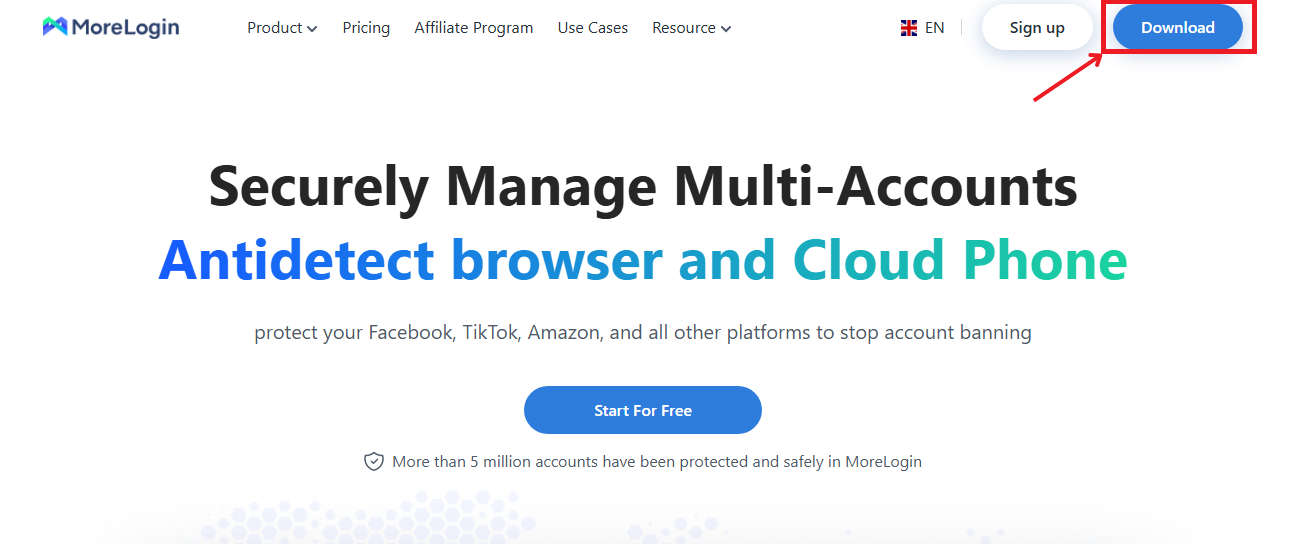
For the beginning, you need to go to MoreLogin official website and click the download button from the top right corner.
2. Create a New Profile
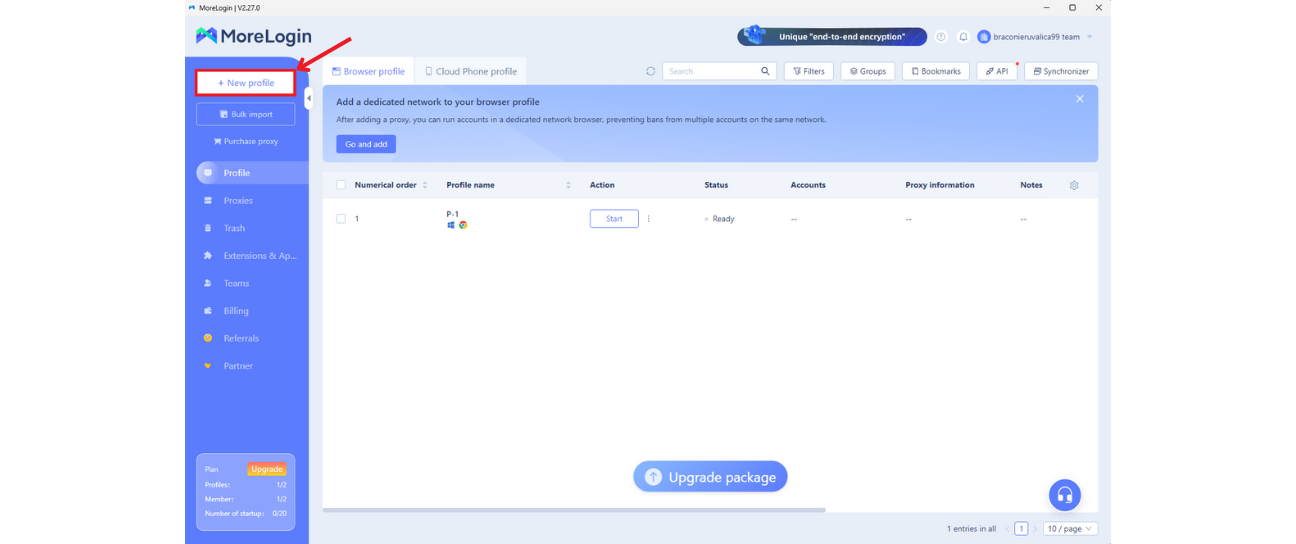
After you installed the app and registered, you should click on the + New Profile button which is located in the top left corner.
3. Fill in Basic Information
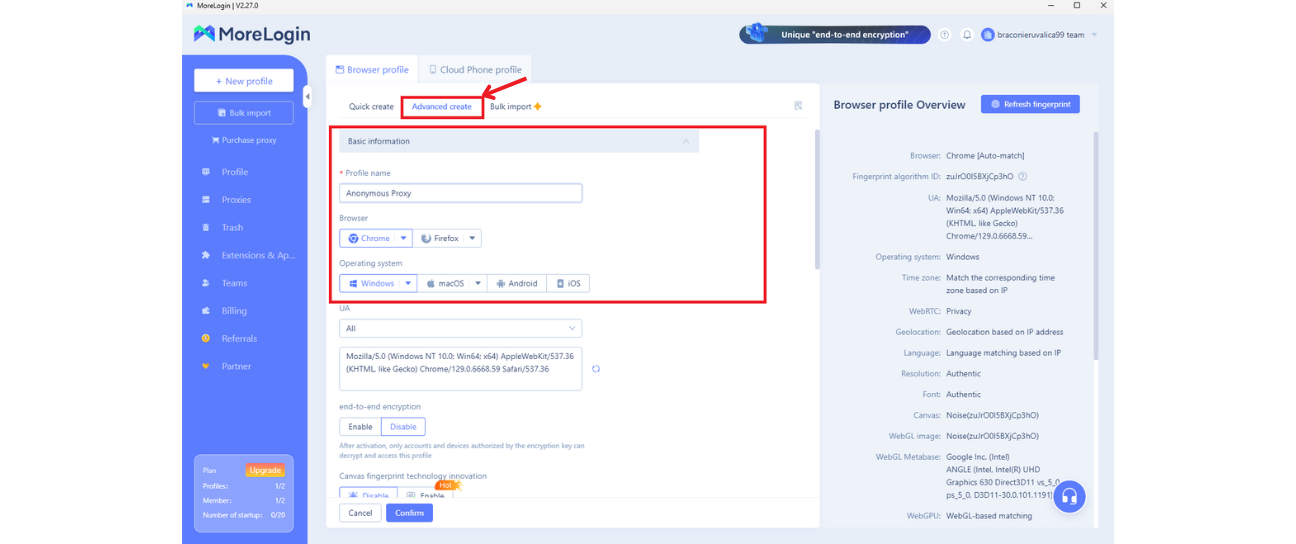
Now, you should see a window where you can see info about the new browser profile. Click on Advanced Create tab and enter a name for your profile (e.g., "Anonymous Proxy") and select the preferred browser and operating system options.
4. Configure Proxy Settings
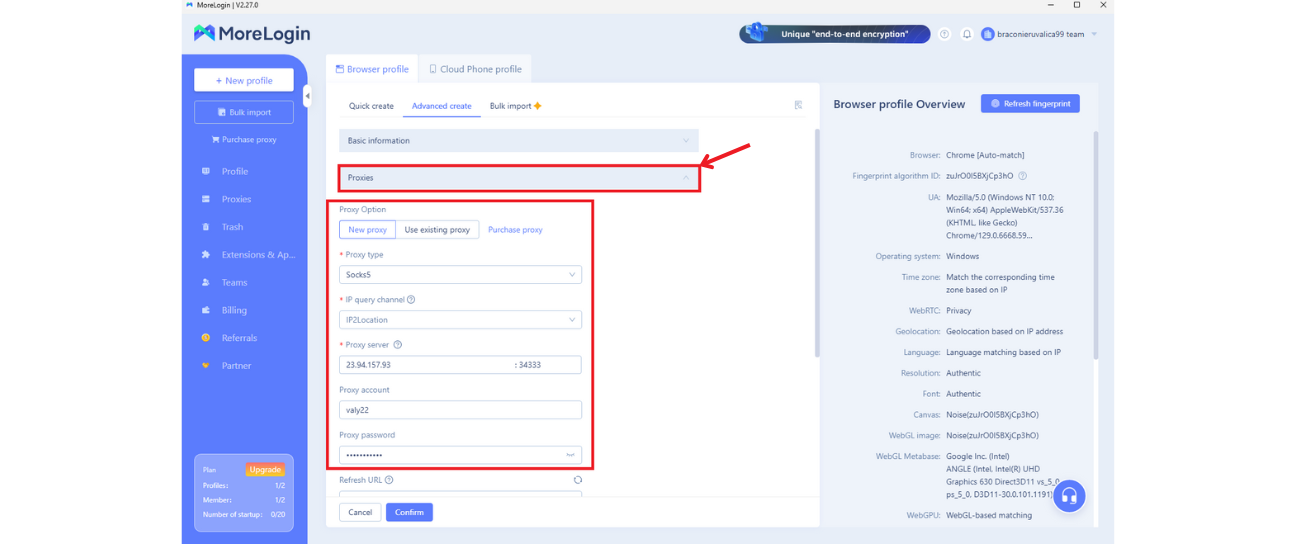
After you filled the basic information parameters, you need to continue to proxies tab.
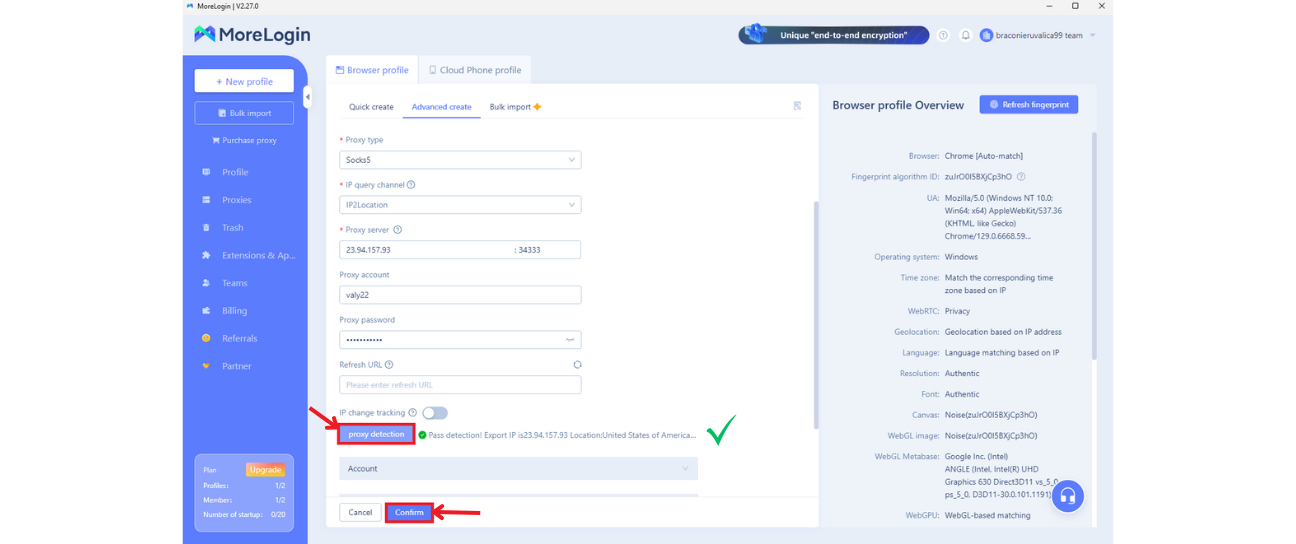
Here you can choose what type of proxy you would like to use and then you can enter proxy's details:
- Firsly, you need to enter the proxy's IP address and port.
- And finally, enter your account credentials, like the ones provided in the Anonymous Proxies dashboard. If you've whitelisted your IP, you can leave these fields blank.
5. Check Proxy and Save Settings
Click on Proxy Detection to verify that your proxy is set up correctly. You should see a “Pass Detection” message if everything is configured successfully. Once everything works as it should, click Confirm to save your proxy settings.
6. Start the Profile with the Proxy
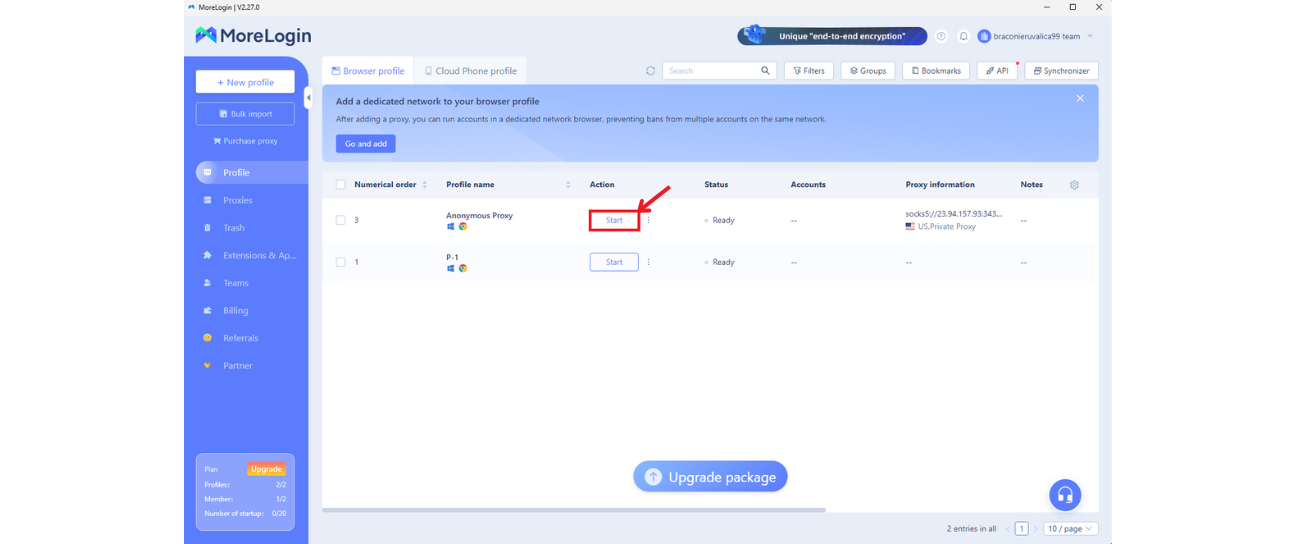
Now, what remain is to go to your newly created profile in MoreLogin’s dashboard and click Start to launch the browser with the configured proxy.
7. Browse Anonymously with MoreLogin
Once you hit Start on your new profile, a Chromium-based browser will launch. There you'll see 2 tabs and in the first tab you'll see your proxy information, be sure that the configuration is as expected, and in the second tab you can search for anything you want.
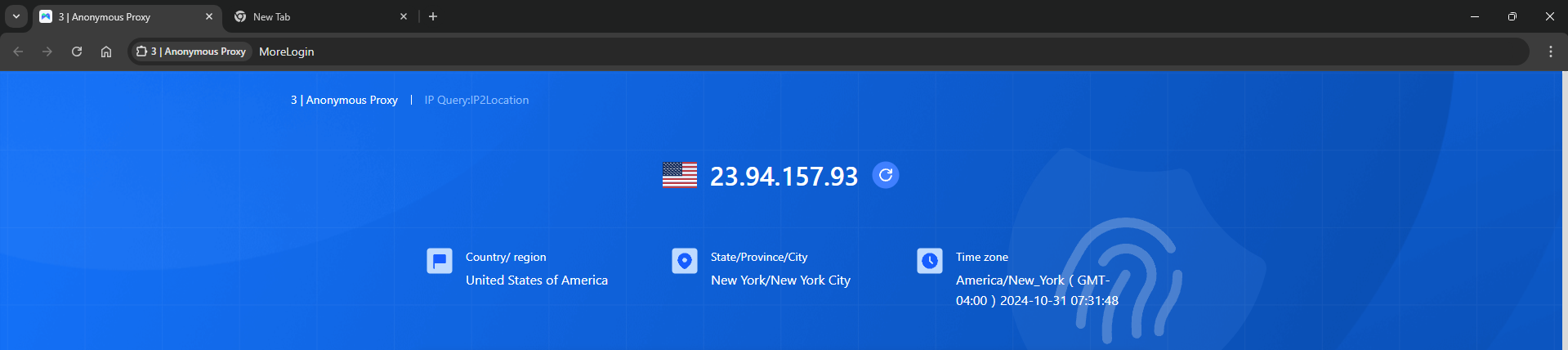
And that’s it! You’re now ready to browse the internet anonymously with MoreLogin with as many accounts as you want!
Conclusion
If you have any questions about setting up your proxy with MoreLogin, you can contact our support team whenever you've got a problem. Also, for more integration tutorials with other popular third-party tools, check our integrations page.